How to Register your Seller Account
Welcome to Reseller Bazzar — India's premier platform for resellers, small businesses, and individual sellers. Follow our guided process to set up your account.
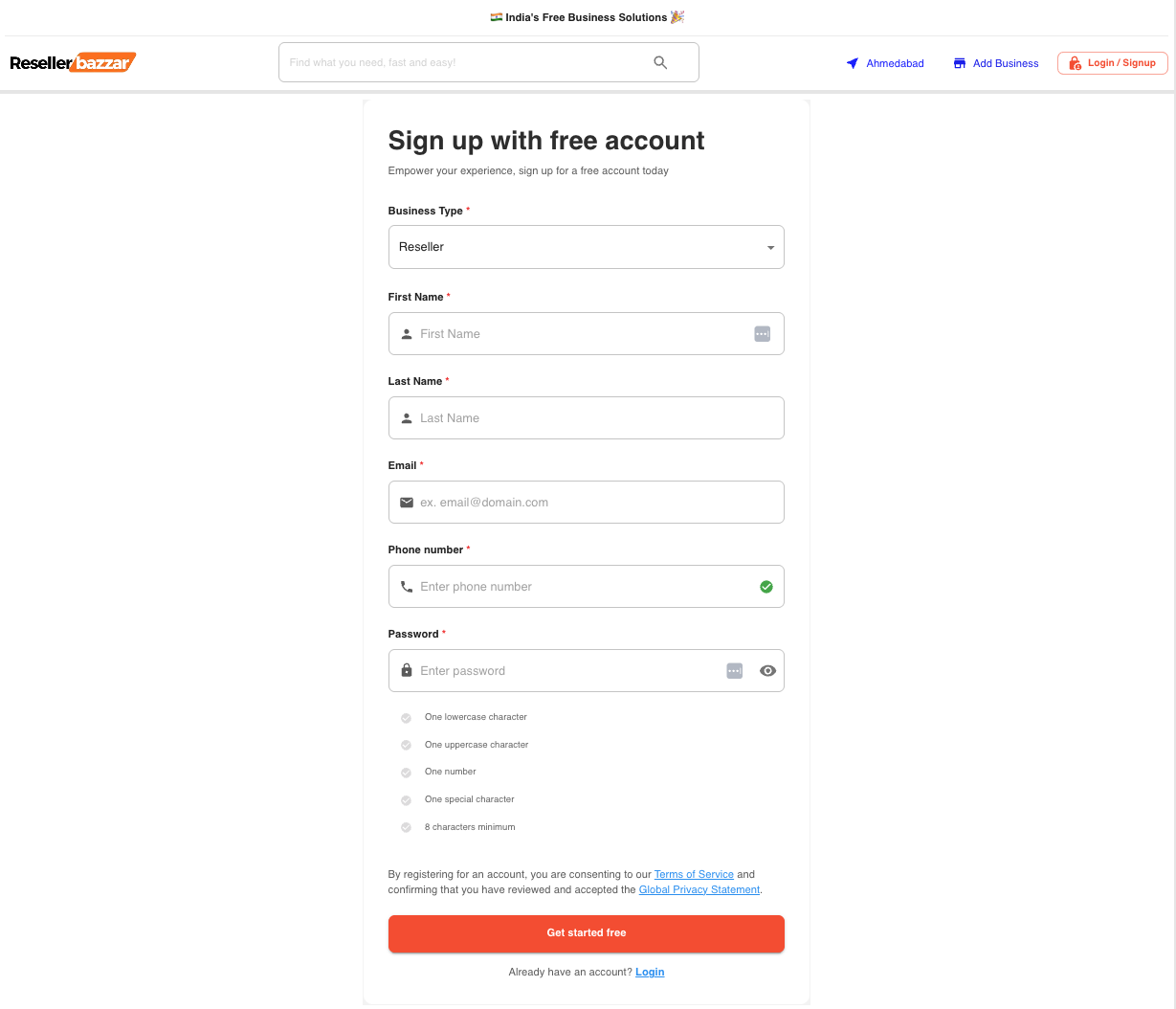
Step 1: Complete the Registration Form
Start by creating your Reseller Bazzar account. It's quick, secure, and easy to join.
- Full Name
- Email Address (for OTP verification)
- Mobile Number
- Strong Password (ensure your account security)
Tip: Use a professional email ID for business credibility.
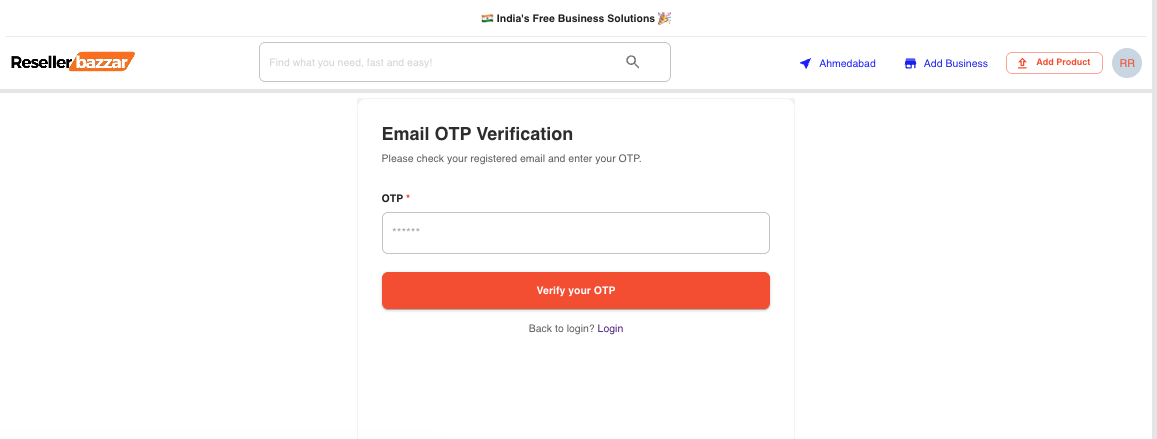
Step 2: Verify Your Account (OTP)
Enter the One-Time Password (OTP) sent to your registered email or mobile to ensure account security.
Step 3: Choose Your Subscription Plan
Select the plan that best fits your business goals. You can start with our 100% Free Plan (₹0) or boost your growth with premium features.
Free Plan (₹0)
Perfect for getting started. List your business and products completely free of charge!
Premium Plan
Boost your visibility and use advanced promotional tools.

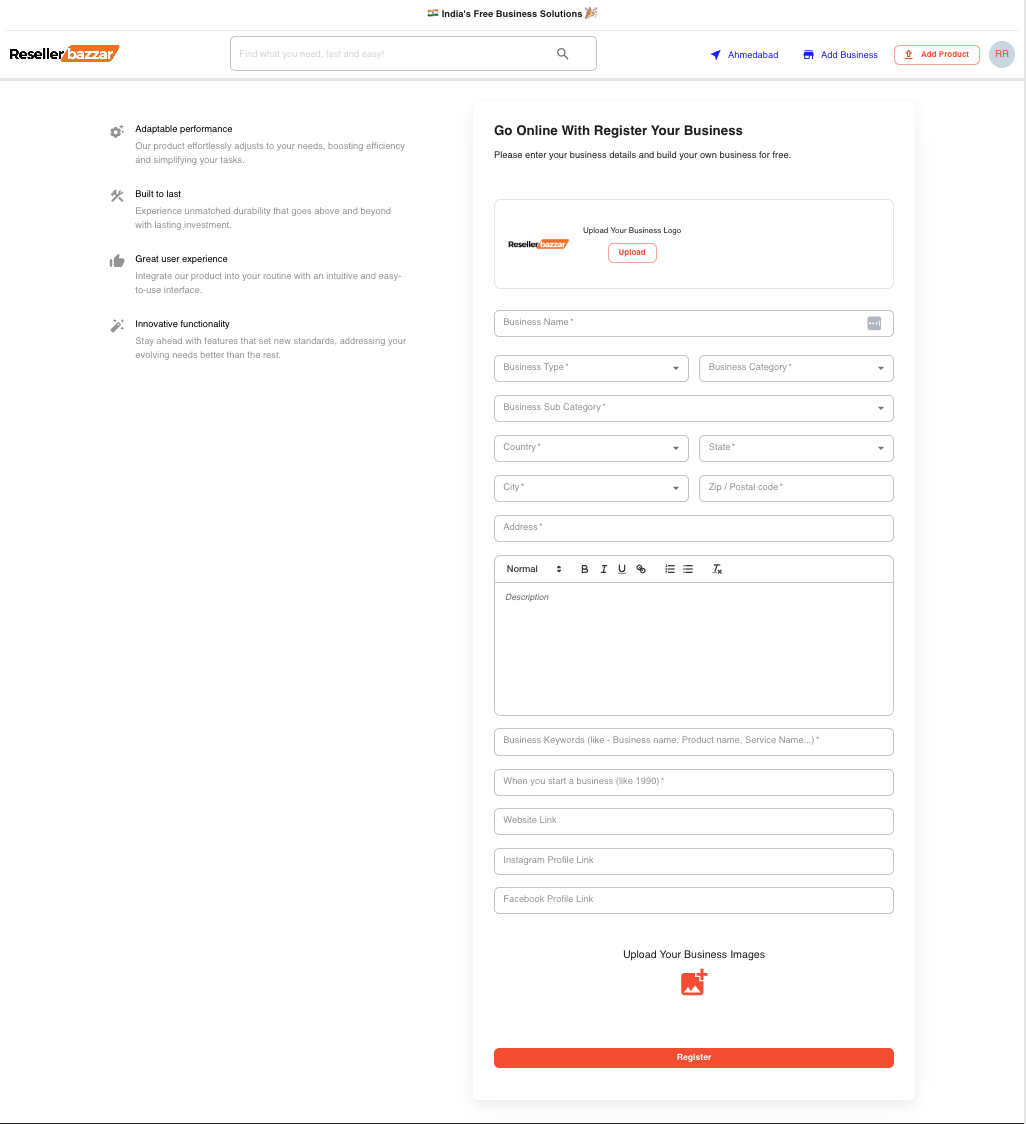
Step 4: Register Your Business
Provide essential details about your business to help customers find and trust you.
- Business Name & Category
- Address & Contact Information
- Business Logo and Shop Images
- Short Description of Your Services or Products
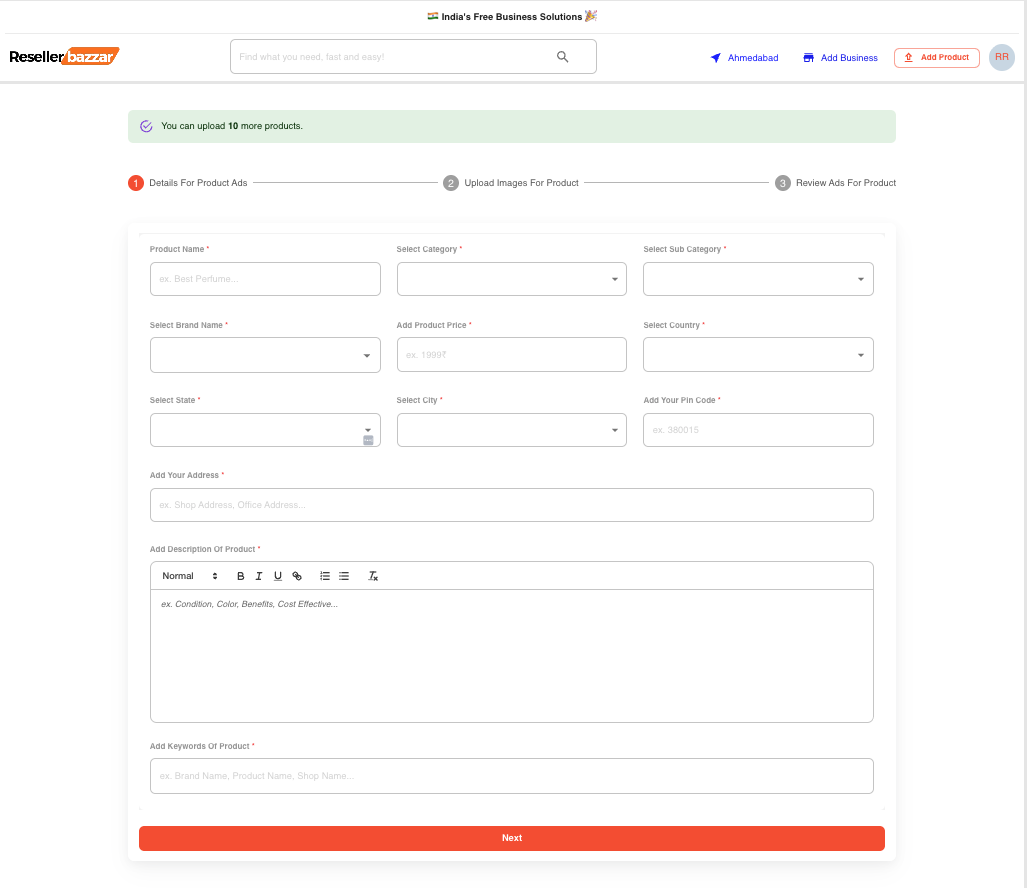
Step 5: List Your Products
Showcase your products with high-quality images and compelling descriptions.
- Product Name & Category
- High-quality Product Images
- Pricing, Offers, and Description
- Keywords or Tags for better reach
Step 6: Explore Your Dashboard
Manage your business effectively using our intuitive seller dashboard.
- Track inquiries and messages from potential buyers
- Update business details and listings in real-time
- Monitor engagement and visibility metrics
- Upgrade your plan anytime (from Free Plan to Premium) to unlock more features
Ready to Grow Your Business?
Join thousands of sellers growing their visibility across India.
Get Started NowNeed Help?
Our support team is available 24/7 to assist you with your registration.
Advertisement
Advertisement
Onboarding — FAQs
- How long does onboarding take?
- Most sellers complete signup, business setup, and the first listing in 10–15 minutes.
- Do I need a paid plan to receive inquiries?
- No. Inquiries work on the 100% Free plan (₹0). Premium plans boost ranking, featured slots, and visibility.
- Can I sell anywhere in India?
- Yes. Reseller Bazzar covers all Indian states and cities — buyers filter by location automatically.